LevelDeck




01
Daily commitments
Choose what matters today.
Use your Minimum to give the day a manageable set of commitments.

Choose your next step, make room to focus and see the effort you put in. Goals, focus and shared challenges in one Android system inspired by games and manga.
We’ll email a confirmation link. Registering interest does not create an account or guarantee immediate app access.
One first step
You do not have to use everything at once. Choose something that fits your day and explore an example.
For example: ten minutes of learning instead of “I should study”. See how the Today design gives an action a place and History makes progress visible.
Explore the Today designThese examples introduce the design. This choice does not create a plan or save data.
One connected daily system
From daily actions to focus, health context and strategy. LevelDeck is being built to bring these tools into one daily loop, where you choose what is useful today.
Daily commitments
Use your Minimum to give the day a manageable set of commitments.
Activities & Solo
Work on an activity or use Solo for a quick action when you have a moment.
History & streaks
Review completed activity and notice your consistency over time.
Scope and availability are being refined in private alpha. Public pricing has not been announced.
Explore the daily system
Explore the cockpit and three parts of the Today design: planning, quick actions and your activity record.
Deck
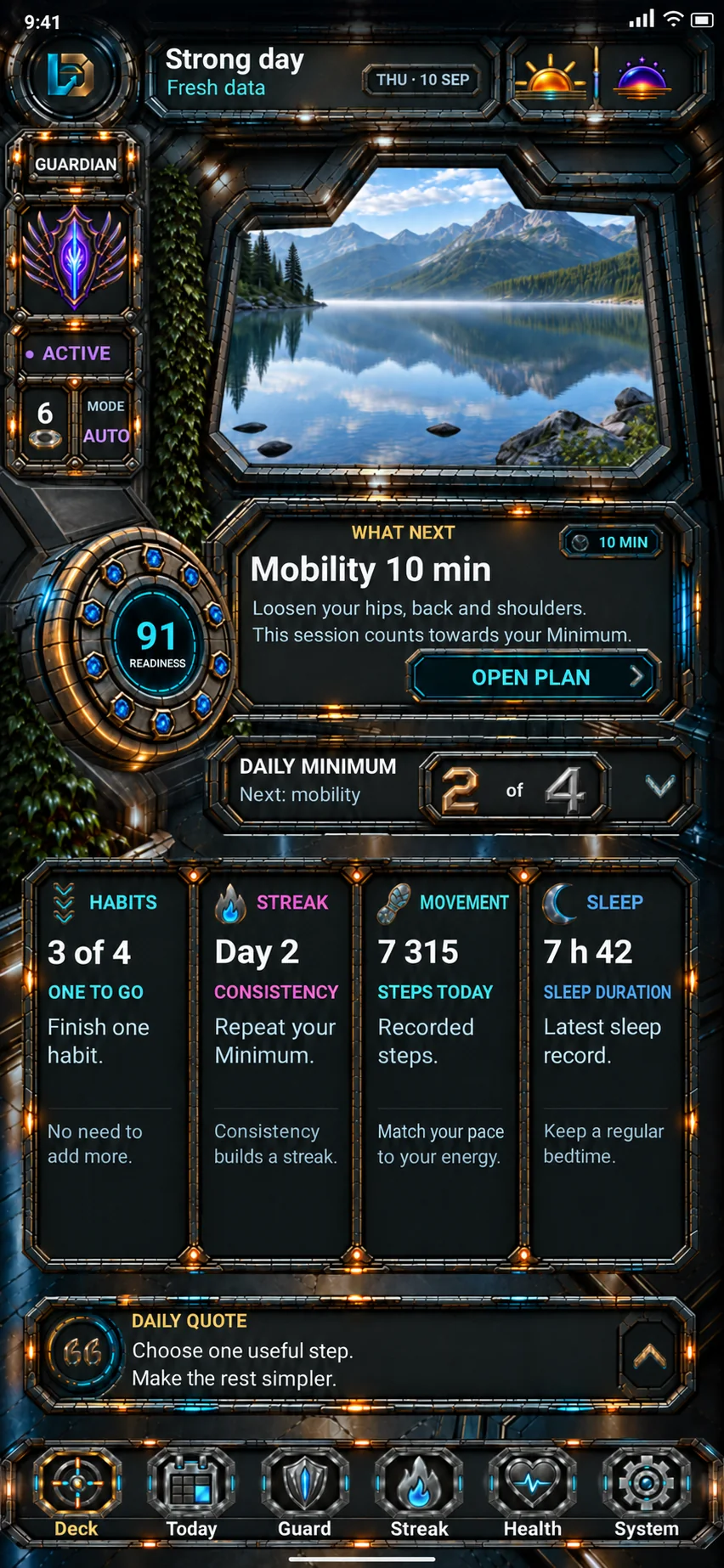
See today’s context, your Minimum and the next useful action together. The cockpit gives you a place to begin.
Start with your next useful action.

Website design preview with illustrative data. It does not connect to your app or account.
Today
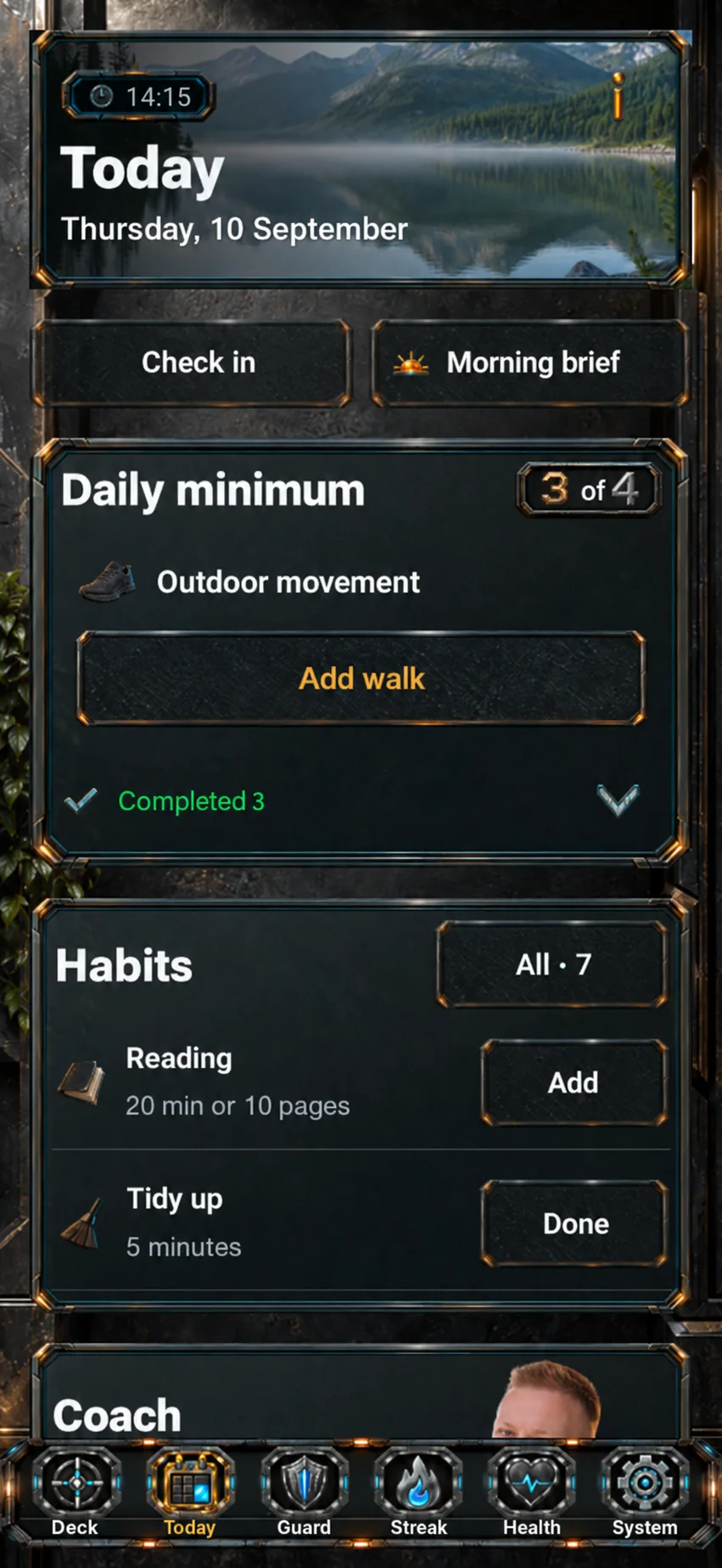
Choose a daily commitment, work on an activity or take a quick action with Solo. Turn an open-ended day into a concrete next step.
Choose one small commitment.
Website design preview with illustrative data. It does not connect to your app or account.
Solo
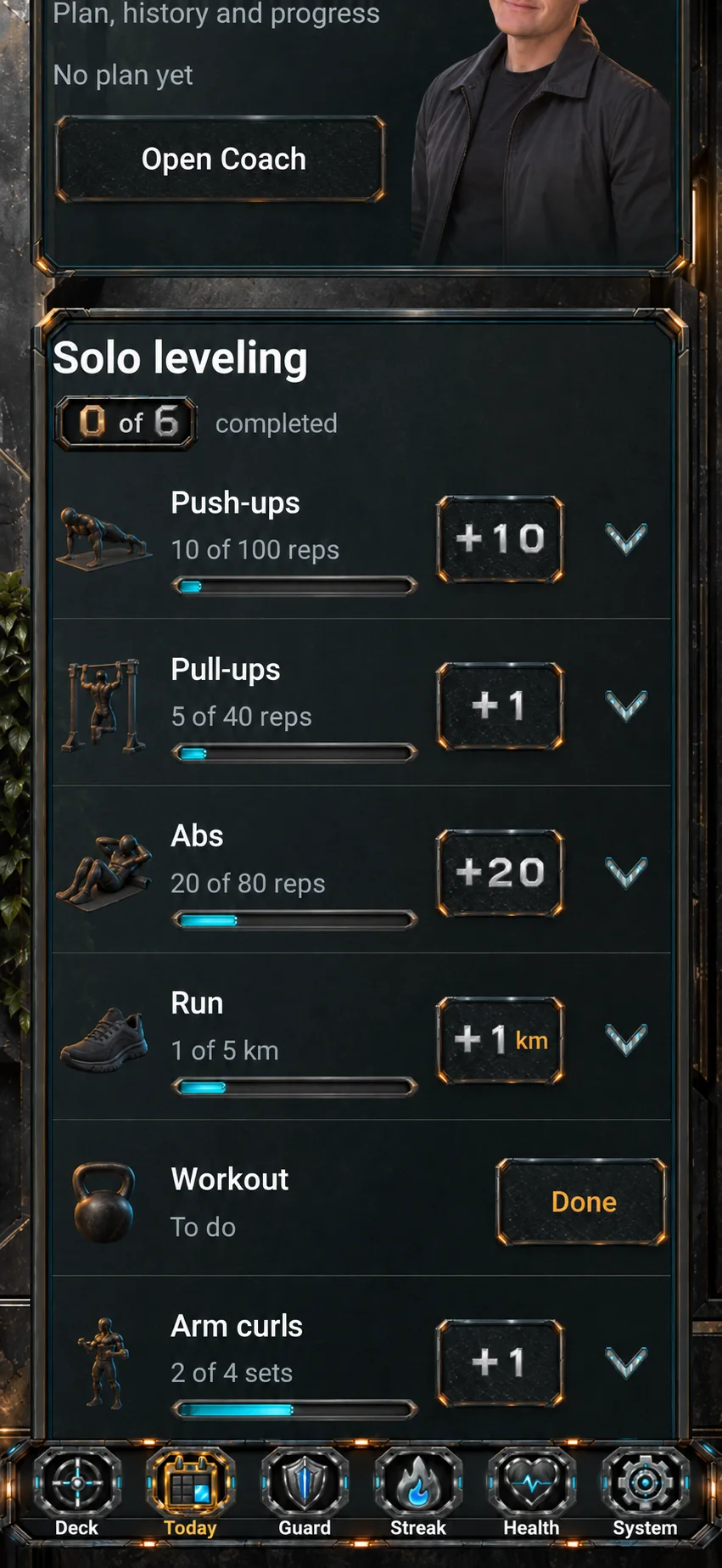
The Solo area brings quick entries into Today. These exercise examples show how small actions can contribute to a visible record of effort.
Start with one useful action.
Website design preview with illustrative data. It does not connect to your app or account.
Activity & history
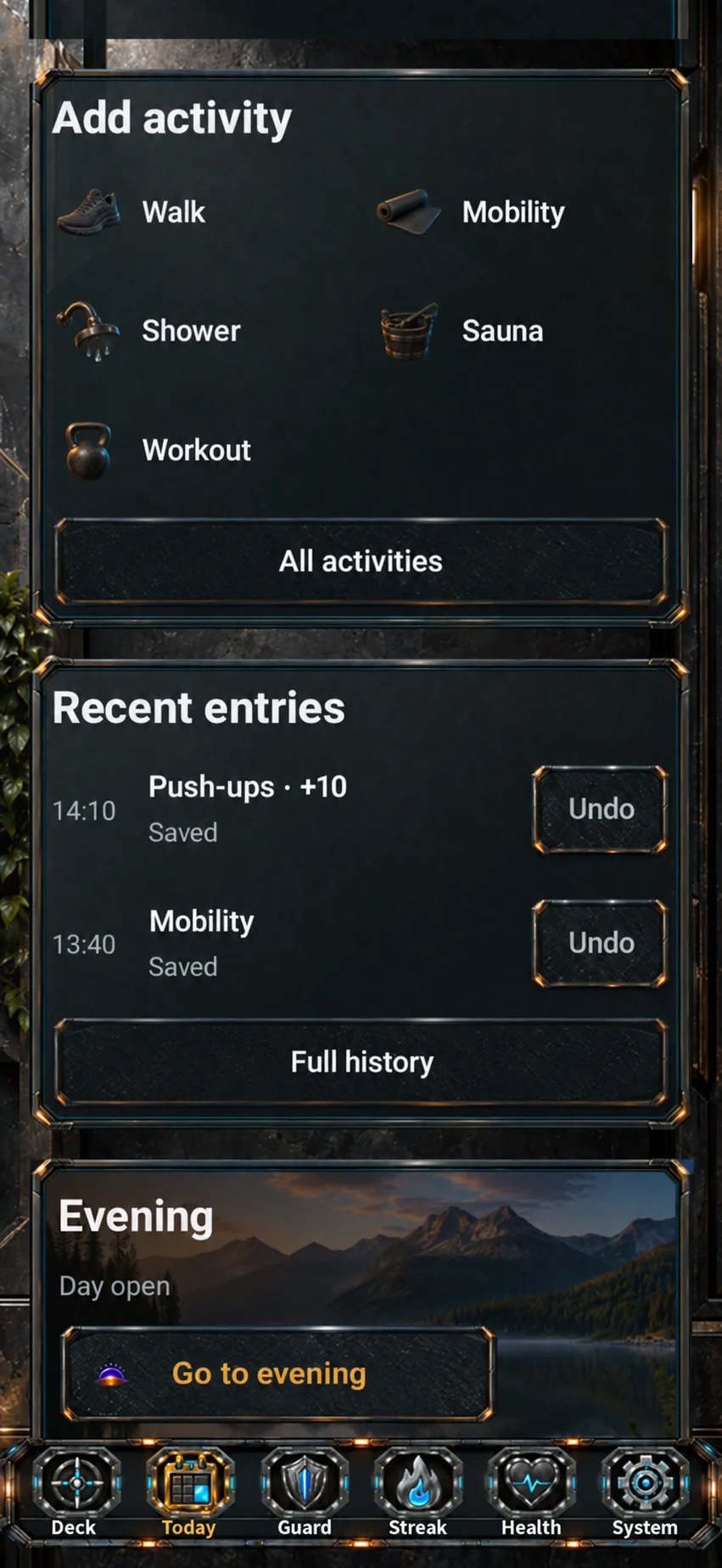
Add an activity, look back at recent entries and move towards your evening review. This part of Today keeps the day’s actions together.
Review the effort you put in.
Website design preview with illustrative data. It does not connect to your app or account.
Want to follow the next stage? Register interest in future Android testing. Confirming your email does not grant app access.
More possibilities on one deck
Guardian, Health and Club broaden the LevelDeck idea: room to focus, a clearer view of your day, and progress with elements of strategy and play.
Guardian
Choose room to focus and rules for app access. Ostoja gives your attention practice a longer journey of growth.
The design lets you choose the apps covered by your rules and when those rules apply, in line with your intention.
Gate supports a deliberate decision to enter. The design includes a pause option and urgent access to essential functions.
Ostoja is designed to grow with your attention practice. Its direction is lasting progress, without punishment for taking a break.
Guardian is in development. This describes the accepted design; its behaviour in the app still needs verification.
Health
A private observatory for energy, wellbeing, sleep and movement. A place for a brief check-in and a view of your own rhythm over time.
Describe your current energy, perceived sleep, body, mood and focus. This check-in uses your own observations and does not require a wearable.
The design brings available sleep and movement sources together with your observations. The data shown depends on the sources available.
Follow changes over time and your personal baseline. The design direction includes brief day, week and month summaries.
Health is being developed for personal observations. Sources and views are still being refined; the module is not a diagnostic tool.
Club
The Club design lets you invite friends, create challenges and work together. Personal goals, regular practice and chess also make room for your own progress.
Create your own activities and goals: name them, set a minimum daily duration and choose a daily, selected-day or flexible weekly rhythm. Follow your consistency and achievements.
The design includes invitations, acceptance, a chosen circle and shared challenges. Choose cooperation, friendly competition or Solo; templates cover reading, walks and training days.
A separate prototype offers three computer levels or two players on one device. Club integration with the app is in development.
The Club design is complete. App integration is the next stage.
Modules being developed for the app. Each card explains the details and current stage.
One day, a connected direction
For example, you want to make time to learn. Start with how you feel, choose a small step and make room for it.
A brief check-in helps you notice lower energy. You choose a lighter goal yourself.
Add 10 minutes of learning to your Minimum. You know where to begin.
Choose your own app scope and focus time. Make room for the action you picked.
Review your consistency in the Club design, or practise strategy in the local chess prototype.
An illustrative example of intended module use. Their integration is in development; this example does not run automation or app features.
Walk through a simple example of the daily loop. Choose a commitment, mark the example complete and review the result.
Pick an example to see how one useful action can fit into the day.
In this example, you have one clear action to work on. Mark it complete to see the review.
Your example commitment
Practise a skill for 10 minutesThe example now shows one completed commitment. Close the day with an honest view of what happened.
Completed in this demo
Practise a skill for 10 minutes1 commitment completed
Illustrative website demo. No app data is changed or saved.
Several tools, one direction. Use what fits your day.
Built to feel different
The direction draws on video games, strategy and manga: a command deck, a clear next move and a sense of progression. The focus stays on useful actions in your own life.
Small actions become part of a longer journey.
Choose what deserves your attention today.
A strong visual identity for a system you want to return to.
Product and visual direction, being refined in private alpha.
Different days. One daily loop.
LevelDeck is being designed with younger users and adults in mind. Learning, work and personal routines can all begin with one useful next step.
A page to write. A skill to practise. A small task to finish. Make the next step in a learning day easier to see.
Between work, home and interruptions, choose a useful Minimum and keep track of what you actually completed.
Make room for movement, a personal project or another daily commitment, then look back at your effort.
Beta age eligibility and any parent or guardian requirements will be confirmed before testing opens.
Built by Artur Dymerski
LevelDeck is being built around a clear aim: bring capabilities often spread across separate apps into one useful daily system. Planning, attention, routines and progress should work together, with a visual world inspired by games, strategy and manga.
The aim is a system that feels worth returning to — and helps you choose a useful next move.
Help shape what comes nextPrivate alpha. Built, tested and refined step by step.
Help shape what comes next.
Tried the alpha, or just have a first impression? Tell Artur what feels useful and what needs work.
No public opinions yet. Future publication will require the author’s permission and Artur’s approval.
Be part of the next step
Register interest in future Android testing and updates. A testing invitation or immediate access isn’t guaranteed.
The next chapter
Club is for shared goals within the app design. A separate LevelDeck community will make room for questions, ideas and conversations about progress. We are preparing the forum and how it will be run.
Community and helpThe forum is not live yet. Explore the plan and draft a topic without creating an account.
A few useful answers
LevelDeck is a daily system for Android, currently in private alpha. Minimum, activities, Solo and history form the daily loop. Guardian, Health and Club are in development, adding attention, personal observations, and elements of play and strategy. Each module card explains its current stage.
No. The design has younger users and adults in mind, with possible uses in learning, work and personal routines. Beta age eligibility and any parent or guardian requirements will be confirmed before testing opens.
LevelDeck centres on useful actions in your own life. Video games, strategy and manga influence its visual identity and sense of progression. That direction is being refined in private alpha.
The aim is to keep daily commitments, actions, attention and progress in one connected routine. You can move from today’s context to a useful action and review the result in the same daily system. The alpha is refining that experience.
Choose your Minimum, work on an activity or take a quick action with Solo, then review your progress. The day example also shows the intended use of Health, Guardian and Club; integration of these modules is in development.
LevelDeck is in private alpha, with no public download available yet. Joining the Android beta registers interest and does not guarantee an invitation or immediate access. This design preview does not send or save your interest.
Public pricing has not been announced. Registering beta interest does not commit you to a purchase.
LevelDeck is Android first. An iPhone release and timeline have not been announced.
This design preview runs locally. The forms do not send or save details, and there is no analytics or advertising tracking. A complete privacy notice and real submission handling are needed before the live website accepts information.
Send Artur a message about LevelDeck.