

 LevelDeck














































































01 / 04
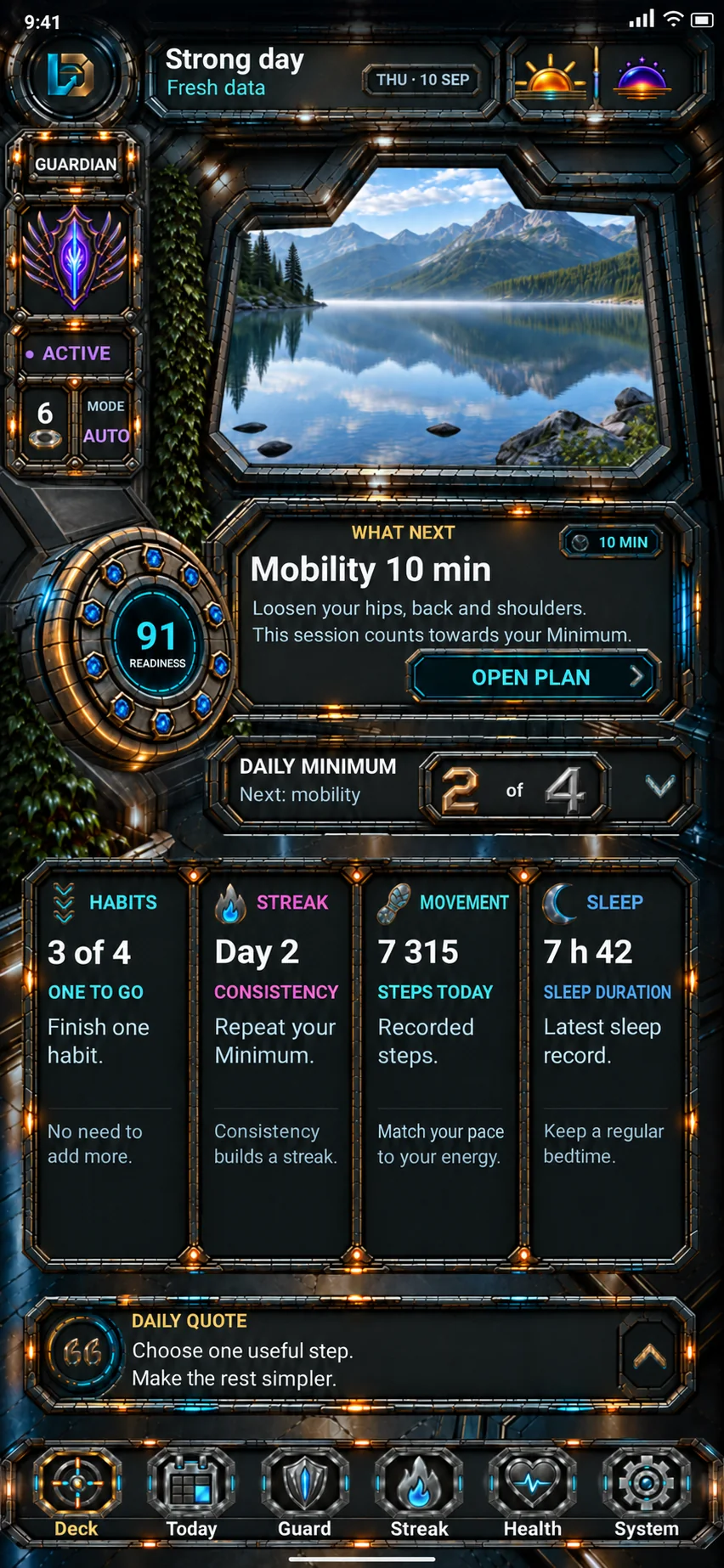
Deck
What matters today?
Today’s context, your Minimum and your next step give you a place to begin.
Start with your next useful action.
Previews with example data. No connection to your account or app.

Learning, work and personal routines. Choose a small step, make room to focus and see what you completed — in one Android system.
Access is by invitation. Confirm your interest by email; registration does not guarantee access.



In the app, the panorama and lighting follow the time of day. Choose a built-in wallpaper or your own photo, then adjust its framing.
Time-compressed preview · choose an atmosphere
Your first step
Learning, work, home or a personal project? Fit a small step to the day you have.
Add learning to your Minimum. Today gives you a next step; History keeps a record of what you completed.
Explore TodayInteractive website example. Your choice does not save app data.
The Bridge
Complete the example mobility step. Minimum changes from 2 of 4 to 3 of 4; readiness stays at 78. Compare the fresh and last readings too.
An illustrative day. Data and actions belong only to this demonstration.
Demo: Minimum 2 of 4, readiness 78.
LevelDeck screens
Explore the Bridge and Today: planning, quick actions with Solo and your activity history.
Deck
Today’s context, your Minimum and your next step give you a place to begin.
Start with your next useful action.
Previews with example data. No connection to your account or app.
Today
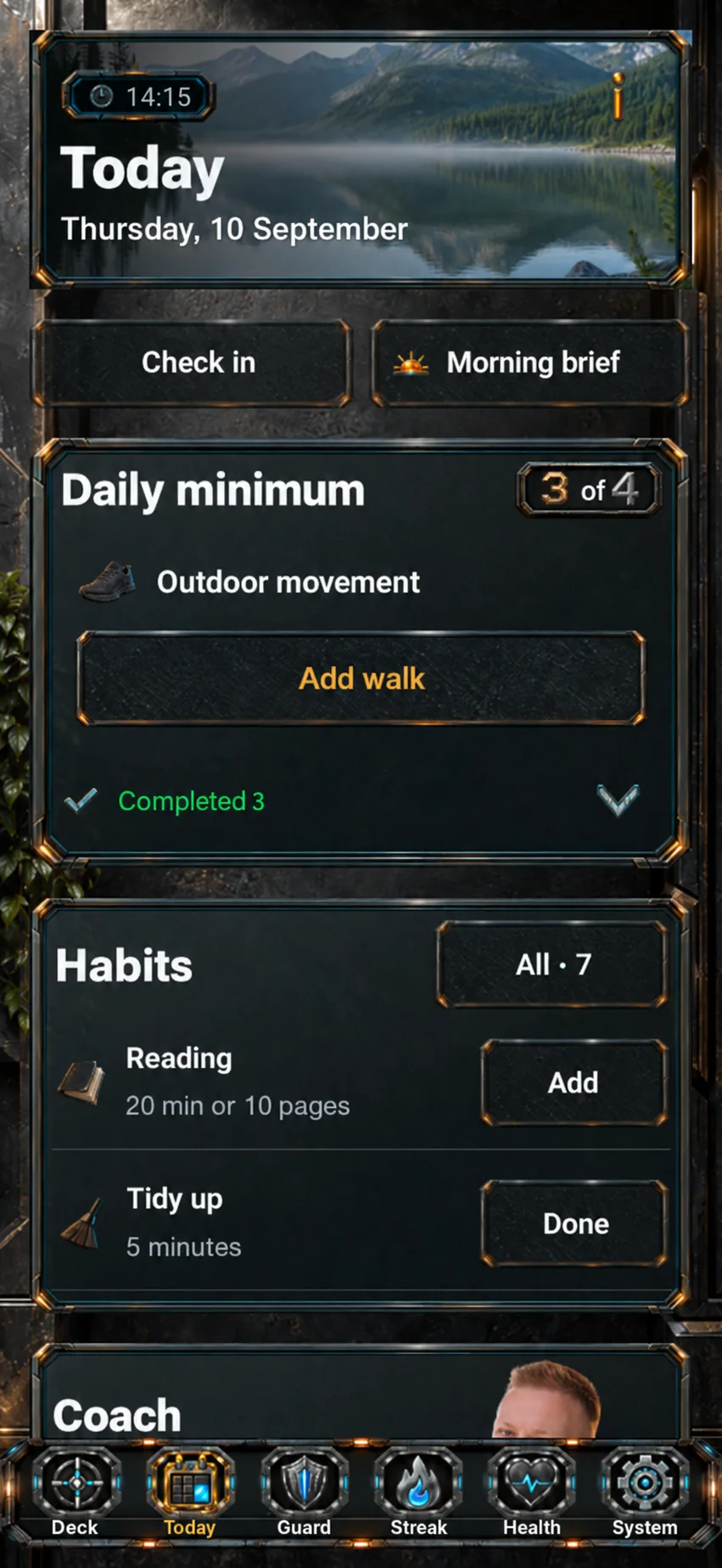
Your Minimum is a small set of commitments that fits your day. Today gives you a next step and a place to mark what you complete.
Choose one small commitment.
Previews with example data. No connection to your account or app.
Solo
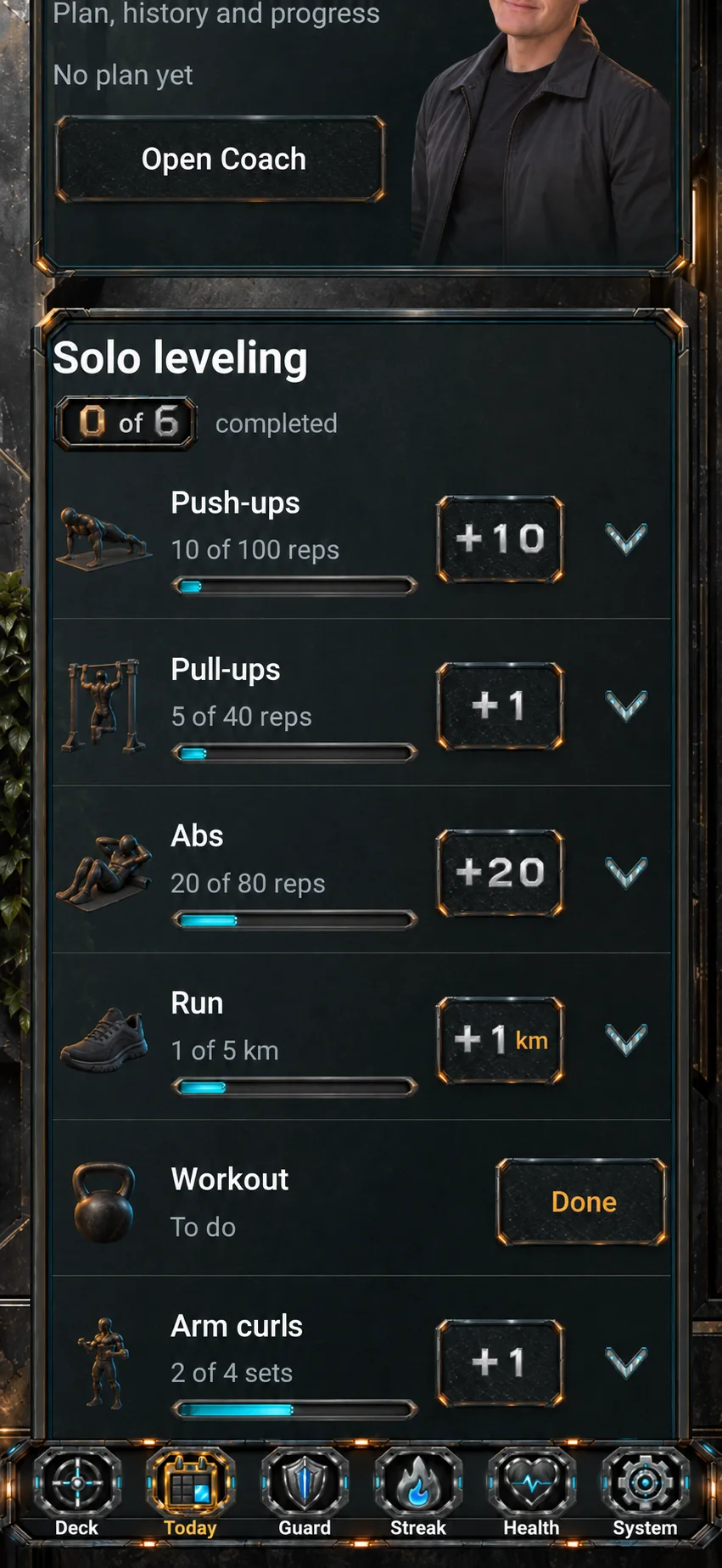
Quick entries from Solo appear in Today. These exercise examples show how you record small actions.
Start with one useful action.
Previews with example data. No connection to your account or app.
Activity & history
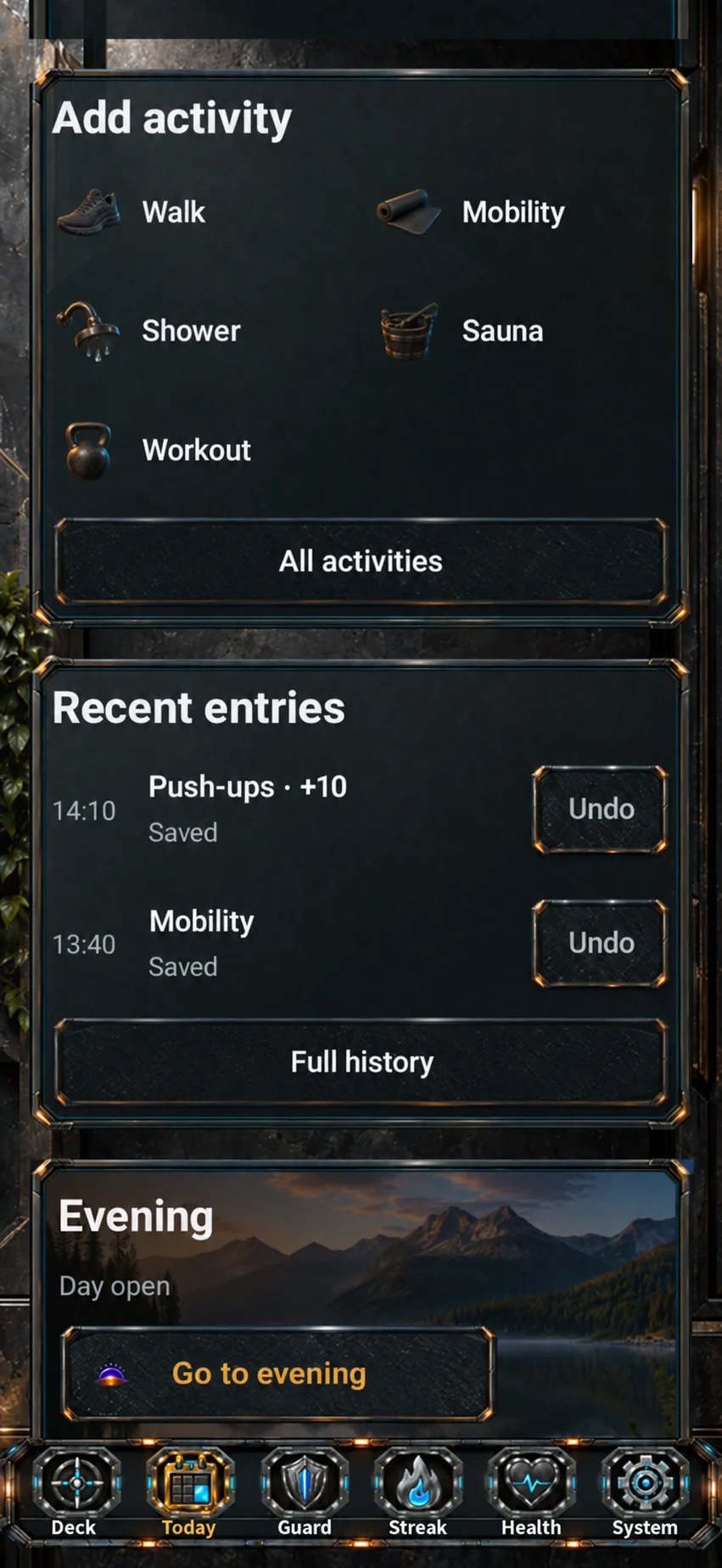
Add an activity, review recent entries and close the evening.
Review the effort you put in.
Previews with example data. No connection to your account or app.
Guardian · Health · Club
Protect your attention, notice your own rhythm and work towards goals with people you choose.
Guardian
Choose room to focus and rules for app access. Ostoja gives your attention practice a longer journey of growth.
Choose the apps covered by your rules and when those rules apply.
Gate supports a deliberate decision to enter. Pause and urgent access let you reach essential functions.
Ostoja grows with your attention practice. Your progress stays with you when you take a break.
Your apps. Your times. Your rules.
Health
A private observatory for energy, wellbeing, sleep and movement. A place for a brief check-in and a view of your own rhythm over time.
Describe your current energy, perceived sleep, body, mood and focus. This check-in uses your own observations and does not require a wearable.
Bring available sleep and movement data together with your observations. Coverage depends on the data sources.
Follow changes and your personal baseline in day, week and month summaries.
Private observations of your own rhythm. This module is not a diagnostic tool.
Club
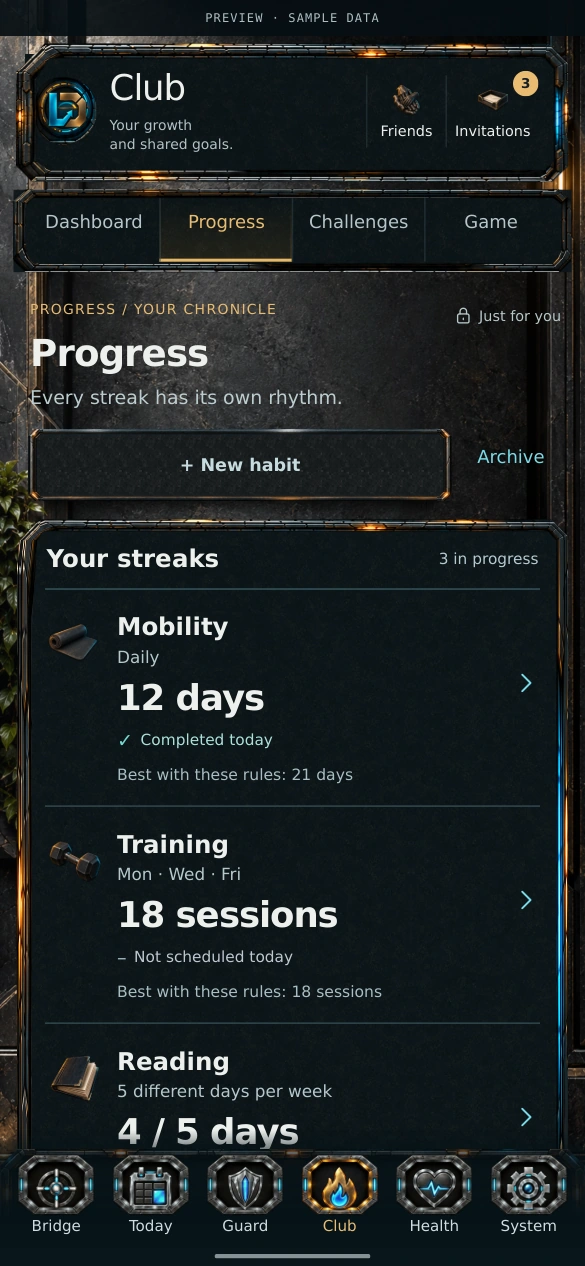
Invite friends, create challenges and work together. Personal goals, regular practice and chess also give you room for individual progress.
Create your own activities and goals: name them, set a minimum daily duration and choose a daily, selected-day or flexible weekly rhythm. Follow your consistency and achievements.
Invite friends and choose cooperation, competition or Solo. Challenges cover reading, walks and training days; each person agrees separately to take part.
Play the computer at three levels or another person on the same device.
Personal goals, a circle you choose and clear rules for taking part.
Choose a module and explore what it does.
An example day
Example: your energy is lower and you choose ten minutes of learning. Follow the path from Minimum to History.
Notice your energy in Health. Fit ten minutes of learning to the day you have.
Choose focus time in Guardian and take the step you picked.
Review the completed entry. In Club, share only what you choose.
A brief check-in helps you notice lower energy. You choose a lighter goal yourself.
Add 10 minutes of learning to your Minimum. You know where to begin.
Choose your own app scope and focus time. Make room for the action you picked.
Follow your consistency in Club or practise strategy with local chess.
An example day. This website walkthrough does not change app data or run automation.
Choose ten minutes of learning or another small step. The controls show a Minimum choice and an example History entry.
For a lower-energy day, choose ten minutes of learning. You can try another example too.
In the app, start the activity in Today or with Solo. Here, mark the example complete.
Your example commitment
Learn for 10 minutesThis is the completed entry for your example. The gallery shows a separate movement example in History, rather than a saved record of this walkthrough.
See another example in HistoryCompleted in this demo
Learn for 10 minutes1 commitment completed
Interactive website example. It does not save app or account data.
Built to feel different
Games, strategy and manga give LevelDeck its character: a command deck, a considered next move and a sense of progression. Your actions build that journey.
Small actions become part of a longer journey.
Choose what deserves your attention today.
A strong visual identity for a system you want to return to.
Built by Artur Dymerski
Artur Dymerski is the creator of LevelDeck. Ask a question or suggest a collaboration.
Contact ArturHelp shape what comes next.
Have experience with LevelDeck, or a first impression? Tell Artur what is useful and what could improve.
Publishing feedback requires the author’s permission and Artur’s approval.
Testing updates
Hear about future LevelDeck testing on Android.
Testing eligibility, including age and any parent or guardian requirements, will be confirmed before invitations open.

The LevelDeck forum
The separate LevelDeck forum is a place to discuss the app, ask a question and share a step you choose. In Club, you pursue goals with friends you invite.
Open the forumInvitation-only 18+ forum · public registration closed · membership requires approval. A forum account does not grant app or Club access.
Access and useful answers
No. LevelDeck is for younger users and adults, for learning, work and personal routines. Future testing eligibility, including age and any parent or guardian requirements, will be confirmed before invitations. The separate forum is invitation-only for people aged 18+.
No public download is available yet. The features described are built and tested; their incorporation into the public APK is pending. Interest in future testing requires email confirmation, does not create an account and does not guarantee an invitation, date or access. Testing eligibility will be confirmed before invitations.
Public pricing has not been announced. Registering beta interest does not commit you to a purchase.
LevelDeck is Android first. An iPhone release and timeline have not been announced.
Forms store submissions in Cloudflare D1, and Resend handles email delivery. Contact is private; publishing feedback requires separate consent and approval. The website privacy notice explains retention, handling and your rights.

Send Artur a message about LevelDeck.